
SERVICE 03 · Google Sheets automation
Copy, paste, alerts and reports —
the sheet does them.
If you already work in Google Sheets, no new software: intake → tidy → emails and documents → a decision report, inside your account.
IF THIS SOUNDS FAMILIAR
One of these is enough
- Form responses copied by hand
- Same email, different names
- Monthly reports rebuilt
- Sheets too big to read
WHAT I DO
In this order
- Day 1
Diagnose the sheet
List every repeated manual step.
- Days 2–5
Automate the most repeated
Highest-yield automations first.
- Weeks 1–2
Reports and error log
One-page decision report; alerts on failure.
- Finish
Hand over
Runs in your account; a runbook for when it stops.
YOU RECEIVE
What stays with you
- Form, sheet, email and doc automation
- One-page decision report
- Error log and alerts
- Built in your account
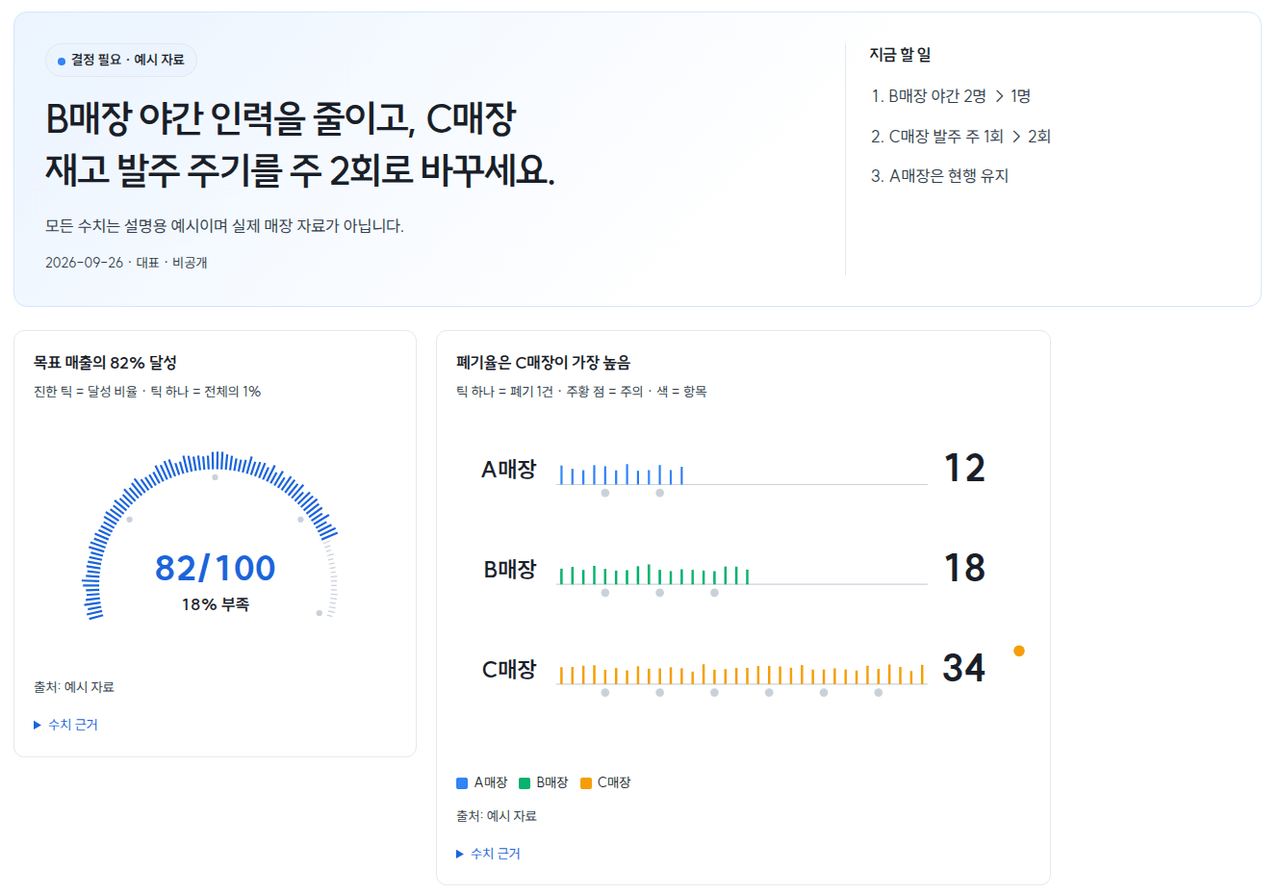
CASE 03 · Decision report
Complex data into decision-ready reports
Conclusion, numbers and structure in ten seconds; evidence folded away.
Read the case →SCOPE
Included and separate
- Workflow diagnosis
- Form, email, doc automation
- Intake and approval UI
- Error log and runbook
- Client-owned
Quoted separately
- Over-quota volume
- Paid API fees
- Data cleanup quoted separately
FAQ
Common questions
Excel?
We move it to Google Sheets together.
If it stops?
You get an alert and a log.
How fast?
Simple: days; with reports: weeks.